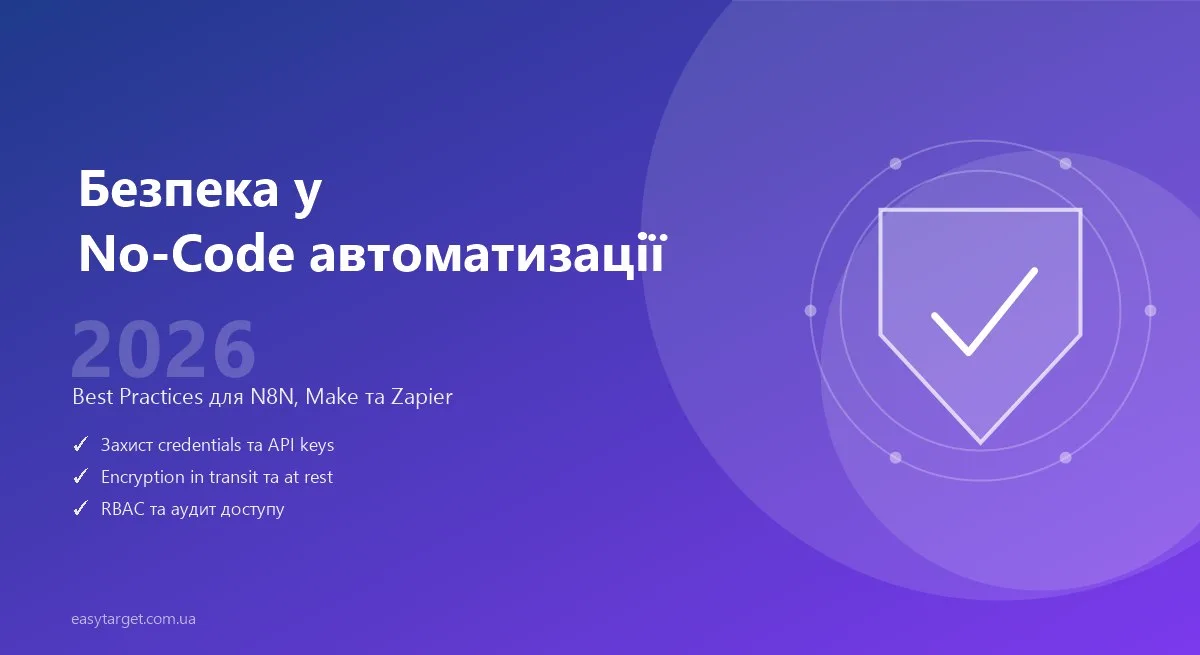
No-code platforms like N8N, Make, and Zapier automate work with critical data: payment information, customer personal data, and credentials across CRM systems. But security in automated systems often takes a back seat — until something goes wrong.
This guide is a practical checklist for anyone setting up workflows who wants to be confident their data is protected.
Main Security Risks
- Credential leakage — API keys and passwords exposed in logs or git repositories
- Unauthorized access — to workflows via public URLs or incorrect permissions
- Data leakage — sensitive data passing through platform logging systems
- Vulnerable webhooks — open endpoints without authentication
- Third-party dependencies — chain security equals the weakest link’s security
Protecting Credentials
For N8N (self-hosted):
# 1. Set encryption key via env (never hardcode it in config!)
export N8N_ENCRYPTION_KEY="$(openssl rand -hex 32)"
# Save this key somewhere safe (1Password, Bitwarden)
# Without it, credentials become unreadable after reinstallation!

# 2. Enable HTTPS
export N8N_PROTOCOL=https
export N8N_HOST=your-domain.com

# 3. Restrict access via Traefik or Nginx
location / {
  auth_basic "N8N";
  auth_basic_user_file /etc/nginx/.htpasswd;
  proxy_pass http://localhost:5678;
}
For Make, Zapier (cloud):
- Never store secrets in description fields or scenario names
- Use Data Stores in Make or Storage in Zapier for key management
- Rotate API keys at least every 6 months
- Limit each key’s scope to the minimum necessary (principle of least privilege)
Secret Management Tools
- 1Password / Bitwarden — minimum requirement for storing and rotating team keys
- AWS Secrets Manager / HashiCorp Vault — for production environments with complex infrastructure
- Doppler — designed specifically for env variables in CI/CD and cloud services
Webhook Security
Webhooks are a common attack vector in no-code systems. An unprotected webhook URL is a potential entry point for attackers or spam.
Enable authentication for N8N webhooks:
N8N_BASIC_AUTH_ACTIVE=true
N8N_BASIC_AUTH_USER=admin
N8N_BASIC_AUTH_PASSWORD=strong_random_password
HMAC Signature Verification:
Most services (Stripe, GitHub, Slack) sign webhooks with an HMAC signature. Always verify it:
// In an N8N Function node
const crypto = require('crypto');
const signature = $input.first().headers['x-stripe-signature'];
const payload = JSON.stringify($input.first().json);
const secret = $env.STRIPE_WEBHOOK_SECRET;

const expected = crypto
  .createHmac('sha256', secret)
  .update(payload)
  .digest('hex');

if (`sha256=${expected}` !== signature) {
  throw new Error('Invalid webhook signature — request rejected');
}
IP Allowlisting:
If a service publishes its webhook IP ranges (Stripe, PayPal, Shopify) — restrict access to your endpoint via UFW or Nginx:
location /webhook/ {
  allow 54.187.174.169;  # Stripe IP example
  deny all;
  proxy_pass http://localhost:5678;
}
Logging and Monitoring
Ensure logging without sensitive data leaks:
// ❌ UNSAFE
console.log(`Processing with key: ${API_KEY}`);
console.log(`Customer: ${JSON.stringify(customerData)}`);

// ✅ SAFE
console.log(`Processing request for account: ${accountId}`);
console.log(`Processing ${Object.keys(customerData).length} fields for ID: ${recordId}`);
What must NEVER appear in logs:
- Passwords and API keys (even partial — first 4 characters are already a risk)
- Card numbers (PAN) and CVV codes
- Personal data (SSN, date of birth, address)
- Authentication tokens and session tokens
Access and Permissions
Self-hosted N8N — RBAC:
- Create separate accounts for different teams — no shared logins
- Restrict credential access: developers shouldn’t see production API keys
- Use separate credentials for prod and dev environments
- Enable two-factor authentication for admin access
Make / Zapier — Cloud Permissions:
- Enable 2FA for all team members (mandatory)
- Don’t give edit access to more people than necessary
- Regularly review who has access to which scenarios
- When an employee leaves — immediately revoke access and rotate any keys they may have known
Encryption in Transit and at Rest
- Ensure HTTPS is enabled on all transfer points, not just the main domain
- For self-hosted N8N with PostgreSQL: enable SSL for database connections
- Sensitive data in Data Stores (Make) — encrypt at the application level before writing
- For workflows handling medical or financial data — consider end-to-end encryption
Security by Platform
N8N (self-hosted):
| Parameter | Minimum | Recommended |
|---|---|---|
| HTTPS | ✅ Required | Let’s Encrypt + auto-renewal |
| Authentication | Basic Auth | OAuth2 proxy (Authelia / Authentik) |
| Encryption Key | Configured | Stored in 1Password + backup |
| Database | SQLite | PostgreSQL with SSL |
| Backups | Manual | Automated daily + off-site |
| Firewall | UFW | UFW + fail2ban |
Make (cloud):
- ✅ Enable 2FA for all team members
- ✅ Review Data Store permissions
- ✅ Regularly check Active Connections list
- ✅ Use Team Features to separate access between clients
Zapier (cloud):
- ✅ Enterprise plan: SSO + advanced permissions
- ✅ Restrict Zap editing by role
- ✅ Review Connected Apps quarterly
- ✅ Set up alerts for suspicious activity
Regular Audits
Monthly:
- ✅ Review which API keys are actively used in workflows
- ✅ Remove unused credentials
- ✅ Update user permissions
- ✅ Check audit logs for unusual activity
Quarterly:
- ✅ Rotate API keys for critical integrations
- ✅ Review the list of users with admin access
- ✅ Update N8N and dependencies (self-hosted)
- ✅ Test restore from backup
Common Security Mistakes
1. Credentials in a git repository
The most frequent mistake — committing a .env file or config with keys. Even if deleted immediately, it remains in git history forever.
Fix: Always add .env to .gitignore. Scan with gitleaks or git-secrets before committing.
2. One API key for all environments
Dev, staging, production — different keys for each. If a dev key leaks, production stays protected.
3. No rate limiting on webhooks
An open webhook without rate limiting is a vector for DDoS or brute force attacks. Add rate limiting at the Nginx or Traefik level.
4. Excessive logging in production
Check N8N’s logging settings: by default, all node input/output may be logged. For production, restrict the logging level and exclude sensitive fields.
Additional Resources
Security is not a one-time event, but an ongoing process. It’s better to spend an hour on proper configuration now than weeks recovering from an incident. Make security part of the setup checklist for every new workflow from day one.
Need a security consultation for your workflows? Schedule a consultation.
Related Content
Just getting started with self-hosted N8N? Read our guide on Getting Started with Self-Hosted N8N — it covers how to properly deploy and secure your instance from day one.
Calculating ROI while considering security? Don’t forget that security infrastructure has costs. Our Guide to Calculating ROI for Workflow Automation shows how to factor in security and infrastructure costs when calculating payback periods.
Real-world secure automation examples: Check out our Banking Data Integration case study — a real example of how we built a secure system for transferring sensitive financial data for clients with high security requirements.